
Approach Circle

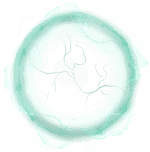
The Approach Circle Cursor Trail on your webpage captivates users by generating expanding circles that ripple outward with each click. This dynamic effect not only enhances interactivity but also significantly boosts user engagement. By adding a fluid and mesmerizing layer to the navigation experience, it transforms the way users interact with your site, making it more engaging and visually appealing.
Step-by-Step Guide to Install Approach Circle

  1. Open Cursor Trails - Custom Cursor Trails in Chrome Web Store and click Add to Chrome.
  2. Pin the extension from the puzzle icon (top right).
  3. Open the extension → scroll to the Approach Circle section.
  4. Select your favorite design → applied instantly.
  5. Switch back anytime with “Default” option.

FAQ – Approach Circle

Is the Approach Circle pack free?

Yes! The "Cursor Trails - Custom Cursors" Chrome extension is completely free to install and use. The Approach Circle pack, along with all other themed collections, is included at no cost. Simply download it from the Chrome Web Store to start enjoying animated trails.

Is the Cursor Trails extension safe to install?

Absolutely. Cursor Trails is officially published on the Chrome Web Store and verified by Google’s security checks. It does not track or store your personal data. You can install the extension with full confidence and safely enjoy animated cursor trails.

How do I switch from the Approach Circle back to the default cursor?

Super easy! Click the Cursor Trails extension icon in your Chrome toolbar and select the “Default” cursor option. To completely remove the extension, right-click its icon and choose “Remove from Chrome.” Your pointer will immediately return to the standard look.

Will the Approach Circle work on Windows 11?

Yes. Cursor Trails works perfectly on Windows 11, Windows 10, macOS, Linux, and even Chromebooks. If your device supports Google Chrome or another Chromium browser like Edge or Brave, you can use the Approach Circle pack with no issues.

Can I use Cursor Trails on my Mac?

Definitely. The "Cursor Trails – Custom Cursors" extension is fully compatible with macOS. Once installed from the Chrome Web Store, you can instantly activate the Approach Circle cursor trails and enjoy smooth animated effects while browsing.

Is there a version of Cursor Trails for Firefox or Safari?

Currently, Cursor Trails is available only for Google Chrome and Chromium browsers (such as Edge, Brave, Opera). Firefox and Safari are not yet supported, so the ${trail.name} trail pack can only be used within Chrome-based browsers.

Do I need to restart Chrome after selecting the Approach Circle pack?

No restart required. As soon as you click on the Approach Circle in the extension, your new cursor with animated effects appears instantly. You can switch between different trails on the fly without refreshing your browser.

Can I create my own cursor trail?

Yes! Cursor Trails includes a simple editor that lets you upload your own images and add trail effects. This way, you can design a completely unique cursor style, just like the ones in the Approach Circle pack, and make browsing even more fun.

Download Approach Circle Now

Join thousands of fans already using themed cursors. Installing is free, safe, and takes less than 30 seconds.

Preview Mode

Approach Circle - Custom Cursor Trail | Animated Cursor Effect